

8 Common Recycling Mistakes in the UK and How to Avoid Them
The UK generates almost 6 million tonnes of e-waste every year. Only 31% of it is recycled.
Proper IT recycling is a dire need in modern times. Improper e-waste recycling is terrible for both humans and the planet. Both developed and developing countries must play their role. International businesses and media should highlight the issue, raise awareness among the public, and encourage them to use the services of any local IT disposal company for proper disposal of their e-waste.
Improper e-waste disposal has significant disadvantages. First, it wastes valuable resources. Second, it contaminates the air we breathe in, the soil we walk on, and the water we drink. The purpose of this blog is to identify common IT recycling mistakes and provide practical tips to avoid them.
Mistake 1: Not wiping data from devices
Description: Many people recycle their devices without ensuring all sensitive data is removed.
If a tech gadget has reached the end of its useful life, it does not mean that the data stored inside does not require your attention. You may have saved your passwords, credit card numbers, or social security numbers on the hard drive of your old laptop. There are many options if it is not useful anymore.
You can hire any computer recycling and disposal to get it recycled. Sometimes, you can ask your consultants for advice, and they will tell you to refurbish the computer. Also, you can donate it to underprivileged communities.
But whatever you do, make sure you wipe your data from hard drives.
Impact: Risk of personal data theft and privacy breaches.
Yes, if you give it away without ensuring data removal, be ready for breaches. Anyone can recover data and access your private information. An extensive list of possible dangers can be made easily.
Solution: Steps to properly wipe data from different types of devices before recycling.
The only solution is to wipe out the data before recycling.
Remember, just formatting the hard drive at home is not enough. The latest software tools can still recover data. Many companies provide data destruction services, where they make the data irrecoverable through various methods. Sometimes, they even break the hard drive into pieces. So, make sure that you either find a separate data destruction company or an e-waste recycler who also offers data destruction.
Mistake 2: Disposing of e-waste with general waste
Description: Electronic devices often end up in regular waste bins.
E-waste should not be mixed with plastics, bottles, etc. It needs dedicated bins, which are available in many developed countries.
Impact: E-waste in landfills can release harmful chemicals into the environment.
As a result, e-waste ends up in landfills, which is extremely dangerous for the environment. Batteries, laptops, computers, and smartphones heat up in the summer and contaminate the soil, as well as the underground water sources.
Solution: Information on proper e-waste disposal and local recycling facilities.
If you have a nearby IT disposal company, get in touch with them. Also, there are specialised bins for e-waste. Use them.
Mistake 3: Ignoring manufacturer take-back programs
Description: Consumers often overlook take-back or trade-in programs offered by manufacturers.
These programs allow consumers to return the devices that they no longer use directly to the manufacturers.
Impact: Missed opportunities for responsible recycling and potential rewards.
A lot of valuable material that can be recycled or repurposed goes to waste, and the volume of e-waste keeps rising as a result.
Solution: How to find and utilise manufacturer take-back programs.
Manufacturers must inform consumers about take-back programs. Strong online and offline advertising can help with that. Governments always have a big role to play when it comes to awareness-raising campaigns.
Mistake 4: Recycling batteries with electronics
Description: Batteries are often left inside devices when recycled.
Make sure you partner with a reputable IT disposal company. Also, keep in mind that disposing of batteries in the trash is illegal in many countries. Batteries contain corrosive materials and heavy metals that can harm the environment if disposed of improperly.
Impact: Batteries require special handling and can be hazardous.
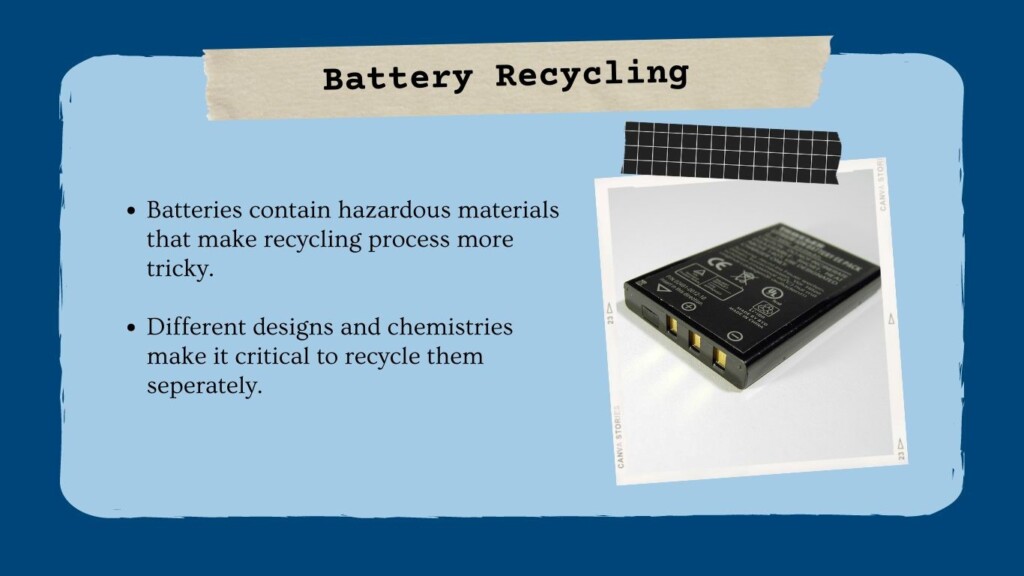
Batteries require different processing from other computer parts, so it is paramount to handle them separately. Almost all batteries are recyclable, either disposable or rechargeable. However, automotive-type lead-acid batteries are an exception.
Solution: How to safely remove and recycle batteries separately.
It is better to remove batteries from the computer and then send both for recycling. Although a responsible computer IT disposal would always do that, individuals should still be careful about this. Also, check if you have dedicated battery bins in your area.
Mistake 5: Not understanding e-waste recycling rules
Description: Different councils have different regulations for e-waste.
Educate yourself about your council and country. This task is worth your time. Take some time to get to know different things.
Impact: Non-compliance can lead to improper recycling and legal issues.
If you do not comply, you will be penalised according to the law. In the UK, regulations surrounding e-waste disposal are stringent and heavily enforced.
Solution: Tips on finding and following local e-waste recycling companies.
A simple Google search like IT Disposal London or IT Disposal Birmingham can help you find one. Your local IT disposal company will provide you with all knowledge about e-waste laws you must abide by to avoid legal consequences.
Mistake 6: Recycling IT accessories improperly
Description: Accessories like cables, chargers, and peripherals often get discarded incorrectly.
Every computer part needs separate treatment, whether it’s a battery, mouse, keyboard, cable, or smartphone charger.
Impact: Improper disposal can lead to environmental harm.
Improper disposal of any electronic device wastes valuable resources and contaminates the local water, soil, and wind. It increases the chances of several health risks for both humans and animals.
Solution: Correct methods for recycling IT accessories and where to take them.
Both recycling companies and clients should take some time to learn about recycling methods. Companies should implement the proper sorting process before they start recycling. A professional company always makes different piles of equipment like batteries, chargers, keyboards, etc.
Mistake 7: Not using certified e-waste recyclers
Description: Many people do not check if their recyclers are certified.
Never make this mistake.
Impact: Non-certified recyclers might not handle e-waste responsibly.
Directly or indirectly, you will also be responsible for the damage.
Solution: How to identify and choose certified e-waste recyclers.
Asking them a bunch of questions about their recycling processes will easily help you know the situation. First, you verify if they are certified or not. Then, you can ask about how environmentally friendly their processes are, how serious they are about data destruction, and how they manage to stay compliant.
Mistake 8: Disposing of working devices
Description: Functional devices are often thrown away instead of being reused.
We normally do it when we want to replace our device with the latest model. We are living in the era of fast-paced technological development. Within months, we have new models available for tech devices. And we all want to keep up with this.
Impact: Wasted resources and missed opportunities for reuse.
Computers and electronics are made up of valuable resources like Gold, Aluminium, Plastic, Palladium, Mercury, etc. You waste all of them for no reason at all. It takes a lot of energy and capital to extract these resources from earth.
Solution: Options for donating or selling working devices to extend their lifecycle. Also, you can refurbish or recycle.
Donation, refurbishment, and recycling are the best options. You can donate old devices to underprivileged communities. The second option is to refurbish your computer and replace some of its components with the latest ones. For example, if your laptop is out of date due to small RAM size, you can replace the RAM with new and more powerful one. The third option is to recycle the device, of course.
Conclusion
Any IT disposal company that does not make such mistakes would surely be one of the reliable companies. Reputable companies stay compliant, follow standard industrial processes for recycling, and help consumers extend the lifespan of their devices.
Computer IT Disposals offers secure and reliable computer recycling services. They also provide a great collection service that uses proper IT equipment cages.
Booking Form
Free collection available for qualifying items · certificates within 5 working days · 100% diverted from landfill.