

How to get rid of old Laptop With These Ecologically Responsible Steps

Do you want to get rid of your old laptop? Don’t just toss it out?
If your laptop is underperforming or doesn’t meet your current requirements, simply throwing it away in the trash is definitely not a viable option. Other than the fact the laptops contain all sorts of toxins that are harmful to our environment, they also house personal information—passwords, account numbers, or registration keys for software programs, addresses and tax returns, and other private documents—that you don’t want others to access.
Did you know on average, about 320 tons of gold and 7,500 tons of silver are used to construct computers every year?
What you also might not know is that only a fraction of materials are recycled from old laptops. Which is why laptop recycling is a popular service, although there’s still a long way to go in educating consumers.
Here’s everything you need to know on how to get rid of old laptop that doesn’t work:
Why should you recycle broken laptop that doesn’t work
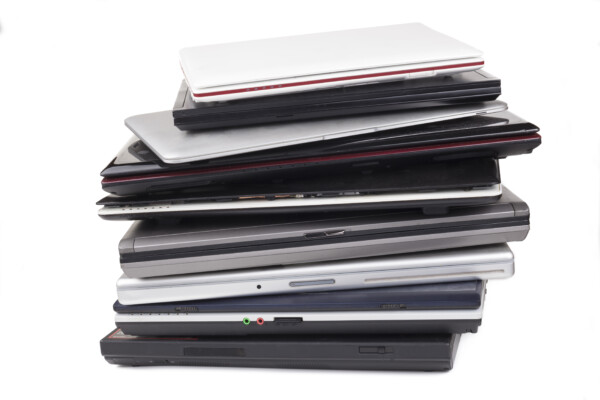
Laptops are complex electronic devices, made of metals such as nickel, cadmium, lead and mercury, which if improperly disposed of at their end-of-life could be fatal to both the environment and human health. Computer disposal is a clutch in minimising the surge of WEEE waste found in landfills around the globe. When your laptop goes through the recycling process it is re-made with non-biodegradable materials.
In case you weren’t aware, electronics are much heavier than the ordinary household waste and are compiled of many different chemicals. But the bright side is that e-waste is recyclable, but it does pose to be a bit complicated. Since it’s a no brainer that e-waste is much harder to process than most junk.
So what to do,
Step #1 How to get rid of old laptop – Backup your data.
Today, with extensive cloud services, backing up old files and external hard disks might seem like a stretch. Although, it’s never a bad idea to physically back up your laptop before you proceed with recycling it. You may also want to destroy old data stored on your hard drive before you get rid of old laptop.
With declining electronic prices, you can find great deals on SDD and HDD drives, with 1 to 2TB capacities, you’re able to store all kinds of data. Your laptop’s USB drives also come in all types of sizes and shapes, generally, they represent portable and cheaper alternatives. Hence, reduced costs mean that your storage will be lower, but making it hard to backup content-heavy computers.
Read our full guide on the easiest way to back up important data
Step #2 How to get rid of old laptop – Clean & reset your hard drive.
For laptops, take a moment to revise and remove data uploaded. Recycle broken laptop by removing the hard drive from your computer entirely. Your best bet is to conduct a factory reset to fully ensure the removal of all software programs and personal files.
- With older laptops you’ll find that hard drives simply slide out of the side port. You should be able to easily pull out your hard drive.
- Some hard drives may be placed behind a plastic panel on the back of your laptop. Unscrew the panel or hard drive to pull it out.
- If you’re unable to remove your hard drive, perhaps you would want to check out manufacturer’s guidelines that cater to the specific model of your laptop.
Step #3 How to get rid of old laptop – Delete & overwrite sensitive files.
If you have sensitive documents or files make sure to delete them with specialized software that meets adequate government standards for laptop recycling. Delete Windows PCs hard drives with free programs such as File Shredder. Or for Mac (pre-OS X El Capitan or OS 10.11) users, you can securely choose the Empty Trash option post file deletion. Go to Finder > Secure Empty Trash. And, for the people that have a Mac with OS 10.11 or higher, you’ll need to conduct drive encryption. Same with Windows PC with SSD drives. At the end of all these steps, you’ll be securely erasing all your files.
Step #4 How to get rid of old laptop – Deauthorize.
Programs such as Microsoft Office 365 give you access to install software on only a restricted number of computers or allow limited laptops to retrieve your data files. Therefore, a crucial part of recycling old laptops is to deauthorize old accounts before uninstalling programs.
For example, to deactivate on your Adobe software. The steps are:
- Go to Help
- Click on Deactivate
- Click on Deactivate Permanently
Step #5 How to get rid of old laptop – Delete current browsing history.
Since you’re well aware of the fact that your browser saves information about your browsing synopsis or in accordance with your setting preferences i.e. passwords or user names. What this means is that you need to get a better handle on how your information is stored. Open your frequently used browser menu, then on Settings > Privacy & security > Clear browsing data. Double-check to ensure you tick the right boxes to remove your data—Safari, Chrome, Firefox.
Step #6 How to get rid of old laptop – Check company’s data disposal policies.
If you use your computer for specific business purposes, cross check with your employer about all the ways you manage business-related information on your computer. That being said, the law requires businesses to follow strict data security and disposal requirements for private customer information.
Step #7 How to get rid of old laptop – Safely dispose of broken laptop and its parts.
You might want to consider factoring in some important aspects before you part ways with your beloved laptop, in regards to possible damage related to your data. Laptops are made up of standard parts composed by different manufacturers in unique ways.
Though there are many alternatives, we recommend you must:
- Recycle your broken laptop: Recover cash for laptop parts that still have some value left. Most companies offer Secure IT Disposal services that retrieve the cost you bear. As you dispose of machines in bulk the money coming your way adds up, smoothly allowing your business to navigate the costs of replacing old laptops.
- Resell your broken laptop: Laptops in decent condition with unused hard drives, can also come in handy to recoup some amount of what you spend on a new one when you sell your laptop.
- Donate your broken laptop: If your laptop runs fine but doesn’t meet your needs then you’re better off donating it. Prolonging the device’s lifetime can positively impact the ecosystem. In fact, by donating you’re also helping curve the digital divide by giving it to people who don’t have the means to afford a laptop. Look online for computer-based charities across the UK that are seeking donations of laptops to give them away.
Still not convinced about getting rid of old laptops?
UK is one of the leading catalysts in producing WEEE (waste electrical and electronic equipment). According to research carried out in 2019, it showed that the UK economy could save £370 million if unwanted electricals that are thrown away could be recycled.
“Of this alone, UK households are throwing away 155,000 tonnes of domestic electrical waste every year and we are hoarding 527 million small old electricals, weighing around 190,000 tonnes – nearly 20 items per household. -Scott Butler, Executive Director of Material Focus
If you do opt to take the sustainable route of recycling old electronics, look out for recyclers that are certified in refurbishing electronics.
Computer IT Disposals is a fully accredited agency based out of the UK that recycles laptops, monitors, printers, servers, and other electronics for free.
Like many leading laptop recycling service providers, CITD employs industry-leading reliable IT disposal solutions to provide your with the best solutions.
Findings from most studies showed increases in spontaneous abortions, stillbirths, and premature births, and reduced birthweights and birth lengths associated with exposure to e-waste.
-Kirsten Grant, Researcher, The Lancet
Conclusion
If you want to dispose of an old laptop, simply because it doesn’t run as fast as it used to, try to sell, donate, or turn it in for some cash. If you’ve successfully made it through to the end of this blog, then you’re well versed on how to dispose of your laptop securely. And, you’ve also managed to gain back money spent on remarketing or reselling. Yet, there are many valuable parts even if your laptop is broken. However, only some are worth saving and can come in handy when you’re looking to invest into a new device.
The above responsible tactics mentioned in this blog can help you make money selling part of your laptop, if you’re lucky.
Keep in mind, acquiring a laptop is not a challenge, but you have to consider its environmental, safety, and financial impact.
By contacting a local UK laptop recycling service such as CITD – save yourself the hassle with the safest and efficient disposal of laptops and IT equipment
Booking Form
Free collection available for qualifying items · certificates within 5 working days · 100% diverted from landfill.