

Safe PC Disposal – Dump Your Old Computers in an Eco-Friendly Manner

Most people tend to throw their old laptops, computers, and PCs in the trash after they are of no use. The planet earth is suffering a lot from such electronic waste. All this pollution is leading to global warming that later contributes to climate change. Safe PC disposal is an ignored but effective solution and a step forward towards sustainability.
A layman might not realise how much effect this climate change can leave on the world but all of us are affected in one way or another. According to IPCC, the temperature is expected to rise from 2 to 10-degree Fahrenheit in the coming century. That leaves us all vulnerable and risks the lives of the coming generations.
This is why everyone must contribute on an individual level to overcome it. We can start with small steps like electronics disposal and IT recycling to make the world a better place. There is enough awareness of the ban on plastic but still, there is a long way to go.
Why Is Safe PC Disposal Required?
There are chances that we might have one or two PCs resting in our attic that are of no use now. The old-style monitors and low-power CPUs are not our priority as we all go for something high-tech and modern. Technology evolves in no time and just as it goes forward, all the older equipment is dumped in the trash.
There is no other planet to go to, we need to keep this one safe.
You might assume it to be a harmless piece of equipment resting in the store but actually, it can be utilised in a far better way. There are many important metals, reusable materials, and wires used in the making of your old PC that can help in building a new high-tech personal computer. To extract all the essential parts, you need to hire a reliable organisation for the safe disposal of old PCs.
How To Dispose of Old Computers?
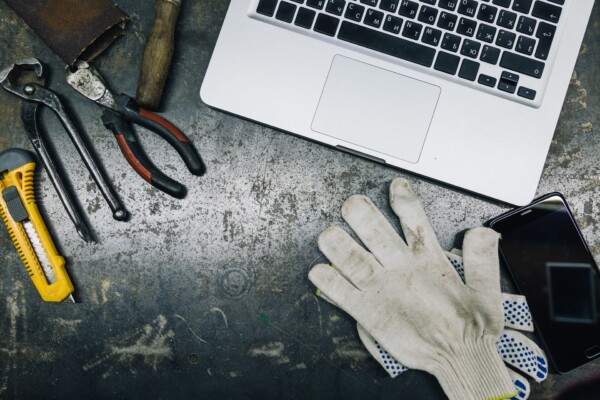
Before you send your devices for recycling or disposing of old computers safely, you must take a few steps to make sure your sensitive data is safe and secure. There are many threats to your personal data and it is important to take care of it before you send your devices for disposal. Also, some people forget to get their data backed up and regret it later.
In order to avoid such mishaps, here are a few Safety Precautions for Safe PC Disposal to keep in mind and perform before any step is taken.
Safely Backup Your Data
There are chances that you have many photos, videos, or documents saved on your devices that you might need later. You can need them in the future or want to keep them with you as memories so check for them for a safe PC disposal and computer recycling. In case you do, it is essential to back up all the information and material from your old electronic device.
Here are a few ways you can do that.
1- Transfer Files to the New Computer
In case you got a new computer, you can transfer the data from the old PC to the new one and you can check the procedure on their support pages. You can also use a data cable or Bluetooth to transfer it to your phone, tablet, or any other device.
2- Store Data in an External Storage Device
If you don’t currently have a new laptop or any other device to safely keep your data, you can get it transferred to a hard drive or a USB flash drive. Just choose your folders for backup and transfer them to the storage device.
3- Save Files in the Cloud
There is a long list of options available that allow you to store your data and files online and access them from any device with your respective account for a safe PC disposal. Some of the options are iCloud, Google Drive, Dropbox, Evernote, and the list goes on.
Delete Your Personal Data
You must clean your device and delete all the information, files and data. Make sure to log out of all the accounts you were signed in to. Clean up the recycle bin as well and try not to leave any traces of your information for access by someone else. You can also use the data destruction services by a well-reputed firm such as Computer IT Disposals to be on the safer side.
Factory Reset Your PC
Getting your device back to the factory settings means that it will remove all the data, delete all contacts, saved passwords, pictures, videos, documents, any personal information and will get back to the original form. After you have manually deleted all the information, it is better to get your computer to factory settings for a safe PC disposal.
Remove PC Hard Drive
There is a really sustainable solution for your PC hard drive if you want to know how to make a pc safe for disposal. You have to remove it from your computer, put it up for an external caddy that will get it converted into a USB. This will work as a regular storage device and can be inserted into any laptop or PC. This allows you to keep your data safe without any data shredding software and you will be the one keeping the remains of your recycled equipment. However, if your system is a closed one and you do not have access to the hard-drive, a reputable computer recycling company will ensure that the data is destroyed according to industry standards so that the data is irretrievable or they can shred your hard disks.
Sustainable Solutions for Safe PC Disposal
If you want to play your part in keeping the environment safe and dispose of your electronic waste in an effective way.
Follow the motto of Reduce, Reuse and Recycle.
Reselling
It is always a better idea to use an online platform to sell or exchange your current PC or any electronic device instead of dumping it in the trash. This will be the most eco-friendly option because nothing is wasted here.
Reusing
If there are a few problems with your PC, you can get them fixed, update a few parts and reuse the whole thing to save the environment and taking a positive step instead. These options must be considered before sending off your PC for recycling.
Recycling
In case none of the above options can be availed, then the last option is to recycle it. You can contact any Computer and IT disposal company and donate your equipment. It is better to go for someone who offers on-site data destruction to make it a safe PC disposal.
Final Word
Disposing old computers safely is really important in order to keep your personal data secure. Try to keep your hard drive with you and just offer the other equipment to play your part in keeping the planet green. Computer IT disposals offer you a safe PC disposal that you can trust as they meet all requirements stated under WEEE.
Booking Form
Free collection available for qualifying items · certificates within 5 working days · 100% diverted from landfill.