
How to Dispose of Electronic Waste Safely in the UK (Business Guide)
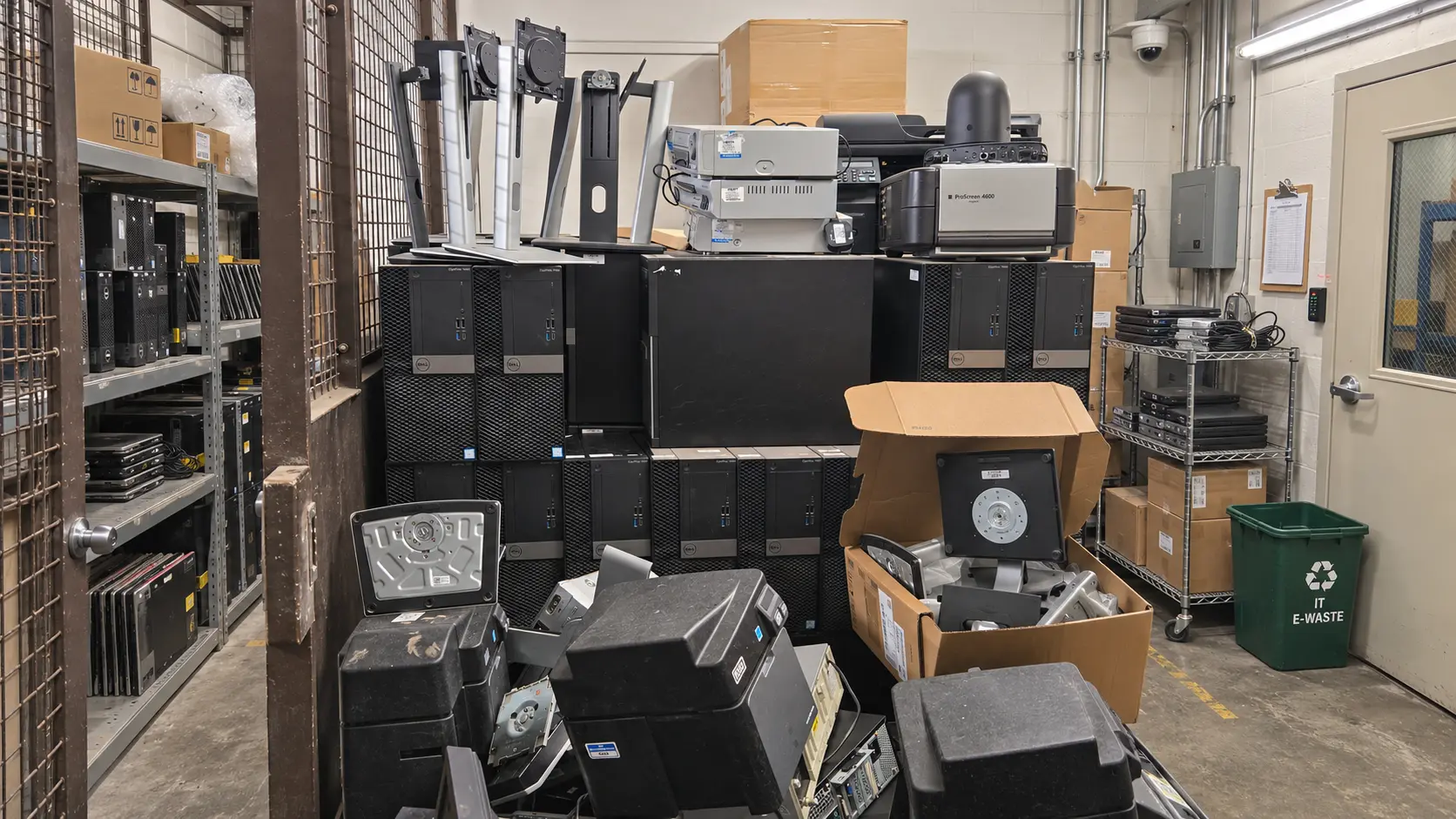
Quick answer: To dispose of electronic waste safely, a UK business should: separate it from general waste, deal with the data on every device, keep hazardous items (such as CRT monitors and batteries) apart, choose the right route (reuse, resale or recycling), and hand everything to a registered waste carrier who gives you a waste transfer note. Never put e-waste in a skip or general bin, and don’t use household recycling centres for business waste.
Every business builds up electronic waste: replaced laptops, dead monitors, old phones, tangles of cables. Disposing of it properly protects your data, keeps you within waste law, and often recovers some value. This guide sets out the practical steps.
What Counts as Electronic Waste?
Electronic waste (e-waste, or WEEE) is any electrical or electronic item you no longer need, working or not. In a business it usually includes:
- Data-bearing devices: laptops, desktops, servers, tablets, phones, loose drives, USB sticks, and printers or copiers with hard drives
- Screens: monitors, TVs and meeting-room displays
- Hazardous items: CRT monitors, batteries and UPS units, fluorescent tubes and toner
- Everything else: keyboards, mice, docks, cables, chargers, network kit and small office electricals
For a longer list with examples, see our top 10 e-waste items.
Why E-Waste Needs Separate Disposal
Electronics contain lead, mercury, cadmium and flame retardants that can leak from landfill into soil and water. They also contain recoverable copper, gold and aluminium. That is why UK law requires electrical waste to be collected separately and treated, not landfilled. The legal detail is in our guide to WEEE regulations for businesses.
How to Dispose of Electronic Waste: Step by Step
1. Make an Inventory
List what you have by type and rough quantity, and note which items still work. A simple kit list makes quoting, collection and paperwork faster, and shows which items may have resale value.
2. Back Up, Then Deal With the Data
Copy anything you still need, then remove devices from management tools (Intune, Apple Business Manager). Deleting files or formatting a drive doesn’t remove the data. Use certified erasure or shredding, and get a certificate listing each device. See data destruction methods compared.
3. Separate Hazardous Items
Keep CRT monitors, damaged or swollen batteries, UPS units and fluorescent tubes apart from other items. They need hazardous waste consignment paperwork, and damaged lithium batteries can be a fire risk in storage.
4. Store It Securely Until Collection
Use a locked, dry area. Equipment waiting for collection is still your data risk and your legal responsibility, so don’t let it build up for months.
5. Choose the Right Disposal Route
Match each type of item to a route (see the table below). Most businesses use a mix.
6. Use a Registered Carrier and Keep the Paperwork
Check the collector on the Environment Agency public register of waste carriers. Keep the waste transfer note for at least 2 years (duty of care code of practice), plus any hazardous waste consignment notes, the WEEE certificate and the data destruction certificate.
E-Waste Disposal Options Compared
| Route | Best for | Watch out for |
| Reuse internally | Working kit that still meets your needs | Wipe and re-enrol before reissuing |
| Resale or rebate through an ITAD provider | Recent, working laptops, PCs and phones | Certified erasure first; get a serial-level report |
| Donation to a charity or school | Working equipment | You must erase data first and record the transfer |
| Supplier take-back | Items you are replacing like-for-like | Check the supplier gives you waste paperwork |
| Recycling through a registered collector | Broken, old or mixed equipment | Use a registered carrier; get a WEEE certificate |
| Skip, general waste or household recycling centre | Never for business e-waste | Not a legal route for businesses |
If you’re unsure whether you need recycling or full IT asset disposal, see ITAD vs IT recycling.
Quick Sorting Guide
- Under about four years old and working? Likely reuse or resale. Keep it dry and undamaged.
- Broken or very old? If it holds data, the drive is shredded.
- Crossed-out wheelie bin symbol on the label? It is WEEE and must be recycled separately.
- Leaded glass (CRT), mercury or a battery? Hazardous waste: keep it apart.
How Computer IT Disposals Collects Business E-Waste
- mixed and hazardous e-waste collected in one visit, by our own vetted team
- every data-bearing device erased or shredded and certified
- working equipment remarketed, with a rebate where it has value
- waste transfer note signed on site, plus hazardous paperwork where needed
- WEEE certificate, data destruction certificate and asset report within five working days
Collection is free for qualifying volumes. See our business e-waste collection service and certificates and registrations.
Frequently Asked Questions
Can a business take e-waste to a household recycling centre?
Usually not. Council recycling centres are for household waste, and most don’t accept business waste, or charge for it under separate rules. Use a registered business waste carrier instead.
Can we put old electronics in a skip?
No. Electrical waste must be collected separately and treated. A skip hire company won’t give you the paperwork that proves the equipment was handled legally.
Do we need to wipe devices before recycling?
Yes, or use a collector who erases or shreds them and gives you a certificate. Deleting files or formatting doesn’t remove data.
What should we do with swollen or damaged batteries?
Keep them apart from other waste, in a cool, non-flammable container, and tell your collector. Damaged lithium batteries are a fire risk and travel as hazardous waste.
Is e-waste disposal free for businesses?
It can be. Many collectors offer free collection when the equipment has enough resale value. Small or mixed loads of old equipment may have a charge, which should be agreed before collection.
Talk to Us About Your E-Waste
Computer IT Disposals is ISO 27001, ISO 9001:2015 and ISO 14001:2015 certified, Cyber Essentials Plus certified, ICO registered (ZA246798) and an Upper Tier Waste Carrier, Broker and Dealer (CBDU457511), collecting across England, Scotland and Wales.
Get in touch: call 0333 015 3501 or email info@computeritdisposals.co.uk (Mon–Fri, 9:00–5:00), or contact us with a list of your equipment.